
Free planBestTrack feature article
Custom checkpoints
Create and reorder logistics checkpoints to shape the tracking journey.
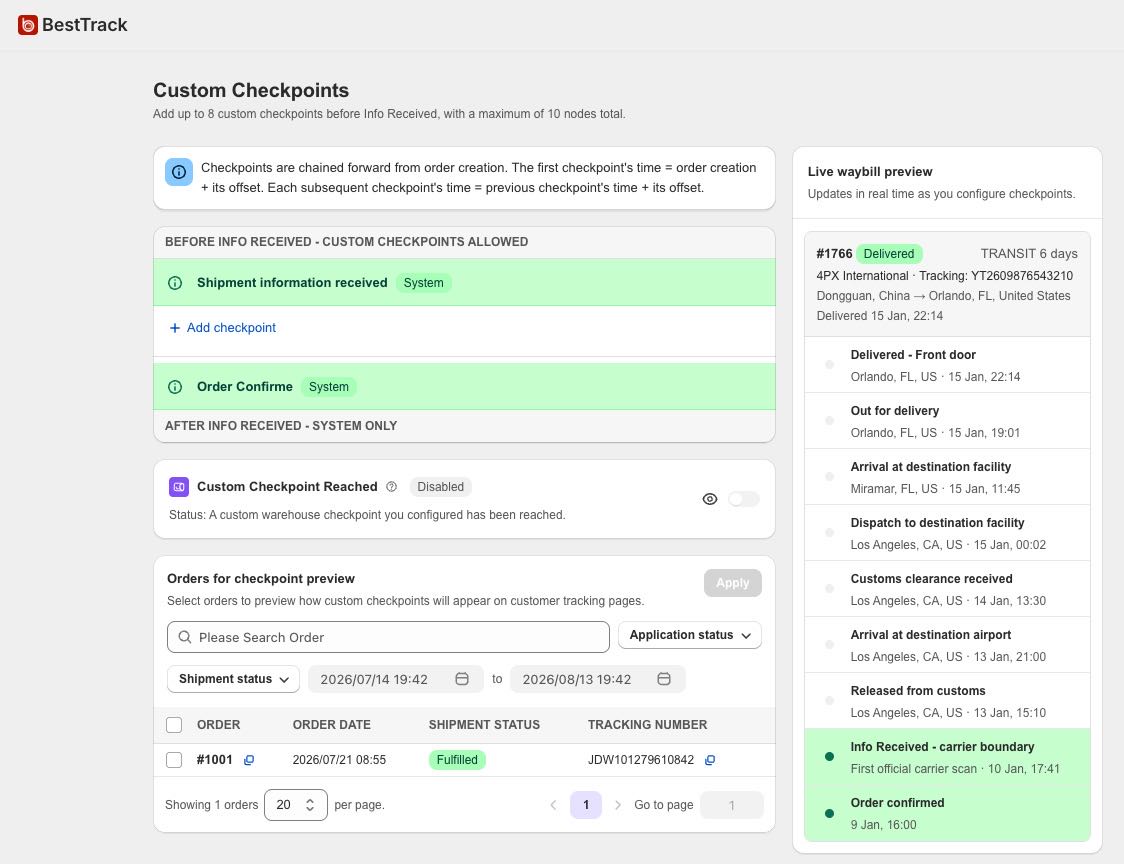
What this feature does
- Add up to eight custom checkpoints, for a maximum of ten total steps including the fixed Order Confirmed node.
- Insert custom checkpoints only before Info Received, the carrier's first official scan.
- Set a name, description, display-time offset and enabled state for each checkpoint.
- Saving enabled checkpoints automatically applies them to existing tracked orders; installation sync, manual sync and order updates also apply them to newly synced orders.
- Use the order list and Apply action when you need to preview, manually adjust or reapply the workflow to selected orders.
- Custom checkpoints are display steps calculated from your timing settings. They do not represent real carrier scans.
- Included in the Free plan as part of Dropshipping Mode.