BestFeed AI is live — review and improve product content for AI discovery.Explore BestFeed →
Home/Apps/BestTrack
BestTrack app logo
Order tracking · Post-purchaseBestTrack

300 orders/month free. Keep delivery progress in one place.

BestTrack syncs Shopify orders and fulfillment tracking into one dashboard, provides a tracking page under your store domain, and lets you control customer emails and dropshipping visibility.

Built for Shopify Order Tracking
BestTrack
Live sync
•••
Shipment overview#1048
DHL · 9374 8210
AM
Alex MorganPortland, OR
Store tracking page
Delivery journey4 checkpoints
Order placed09:14
In transit11:32
Out for delivery08:06
Delivered14:28
Latest updateToday, out for delivery
Customer update sentOrder #1048 · Out for delivery
Included free300 orders / monthRecent-order sync · Shopify embedded
✓ Custom tracking checkpoints
◌ Mask China tracking events
✓ Free includes 300 tracked orders monthly
The post-purchase gap

When customers can't see delivery progress, support keeps hearing: Where is my order?

When delivery details are scattered across Shopify orders, fulfillment records and carrier events, customers have little choice but to ask. BestTrack brings order status and delivery progress into one store-domain destination and one merchant workspace.

Fewer WISMO ticketsSelf-serve tracking and email updates answer the question before it is asked.
Clearer customer visibilityKeep the lookup page under your store domain and publish it to the main menu, footer or both.
Faster exception handlingFilter by status, carrier, destination and order date, then export the working set as CSV.
What BestTrack does

Self-serve for customers. Control for merchants.

Store-domain tracking page

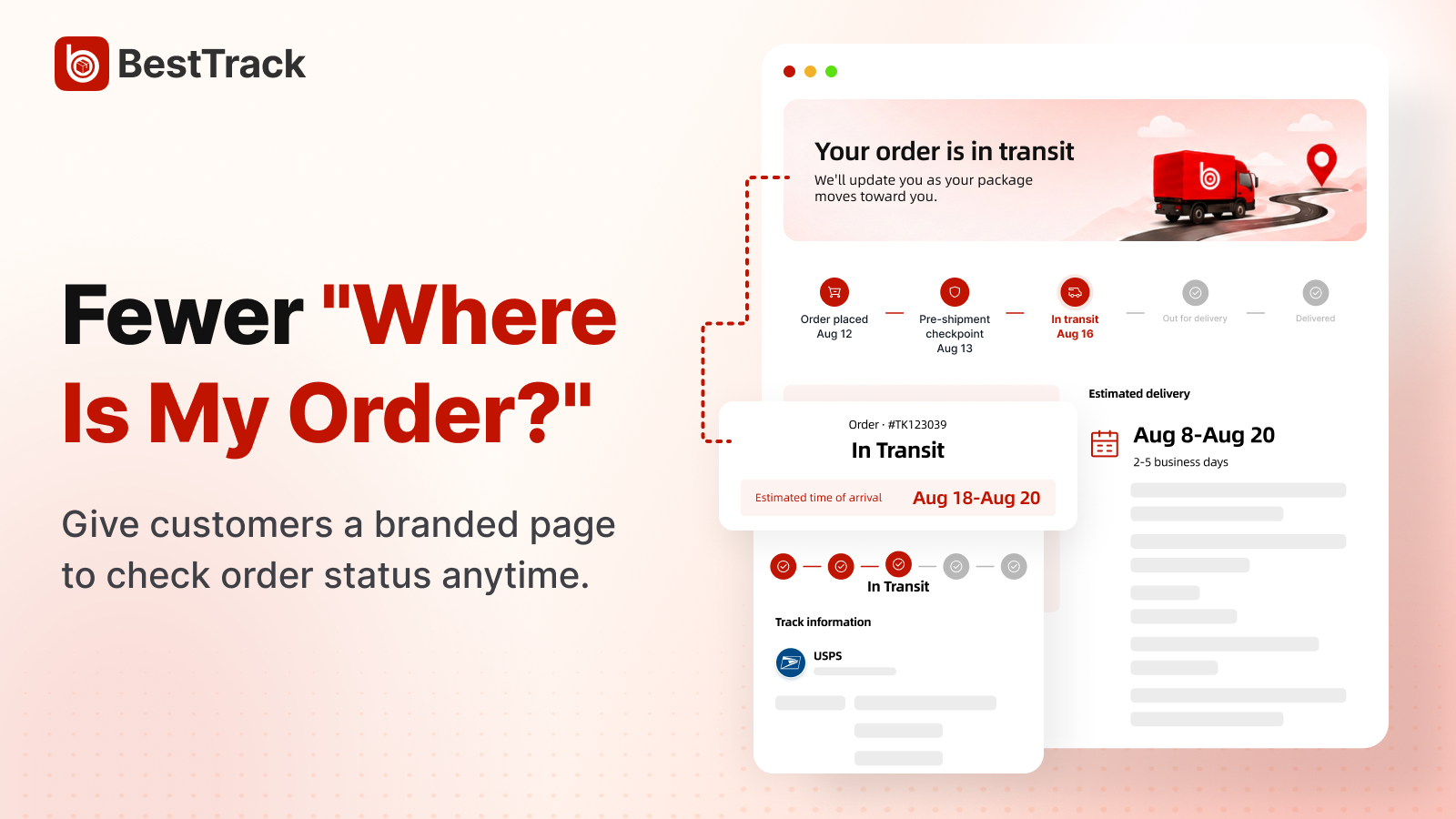
Give customers one self-service shipment lookup.

Customers can look up a shipment by tracking number. The confirmed response can include multiple packages, carriers, tracking events and related item details.

Keep shipment lookup under your store domain
BestTrack customer tracking page after a shipment lookup
Dropshipping Mode · Region Blocking

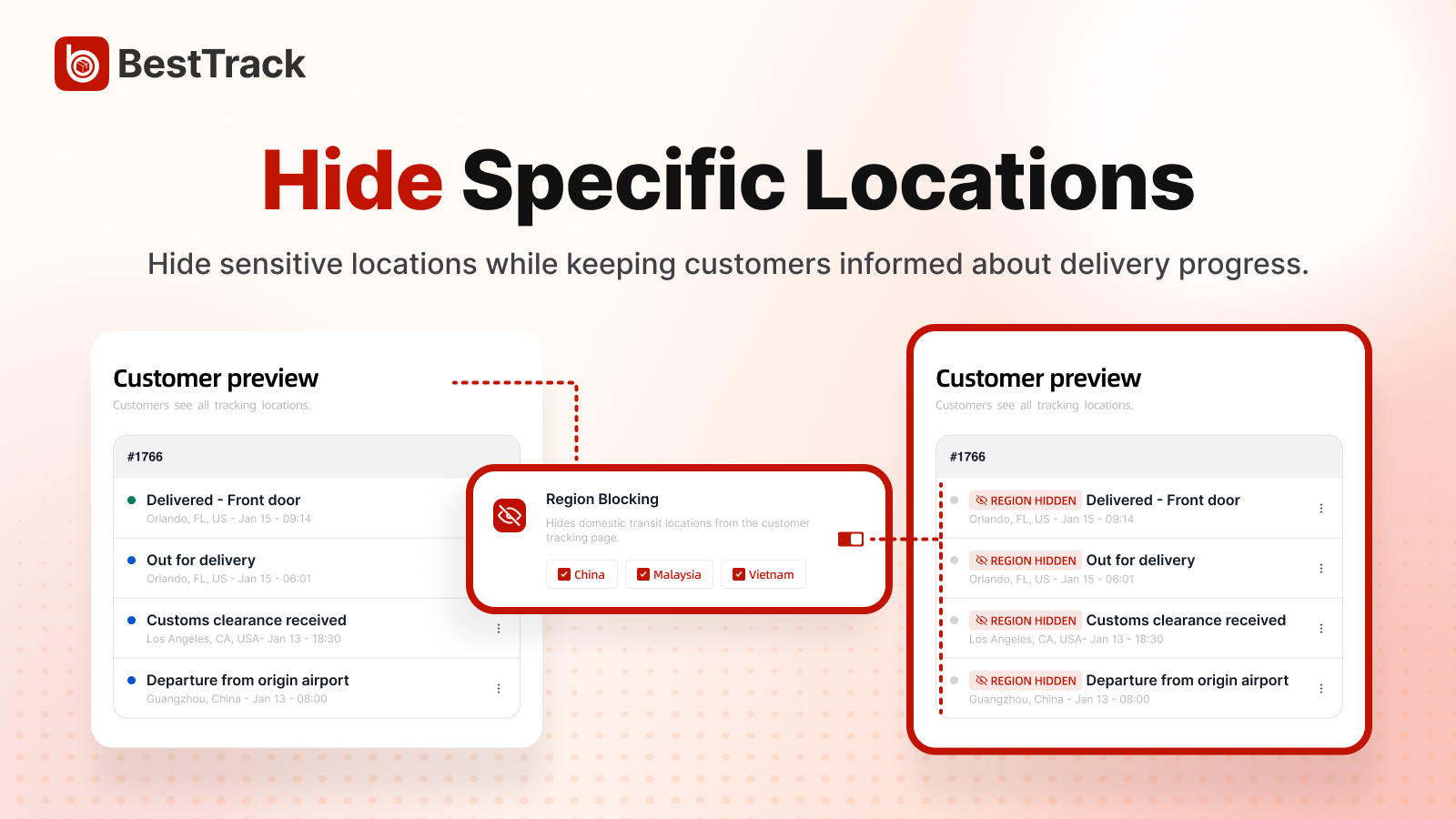
Hide location details with editable keyword rules.

Match English location keywords to hide country, state, city, street and other location fields while keeping shipment events and statuses visible.

Protect location details without deleting delivery progress
BestTrack Region Blocking keyword settings with location details masked
Dropshipping Mode · Custom checkpoints

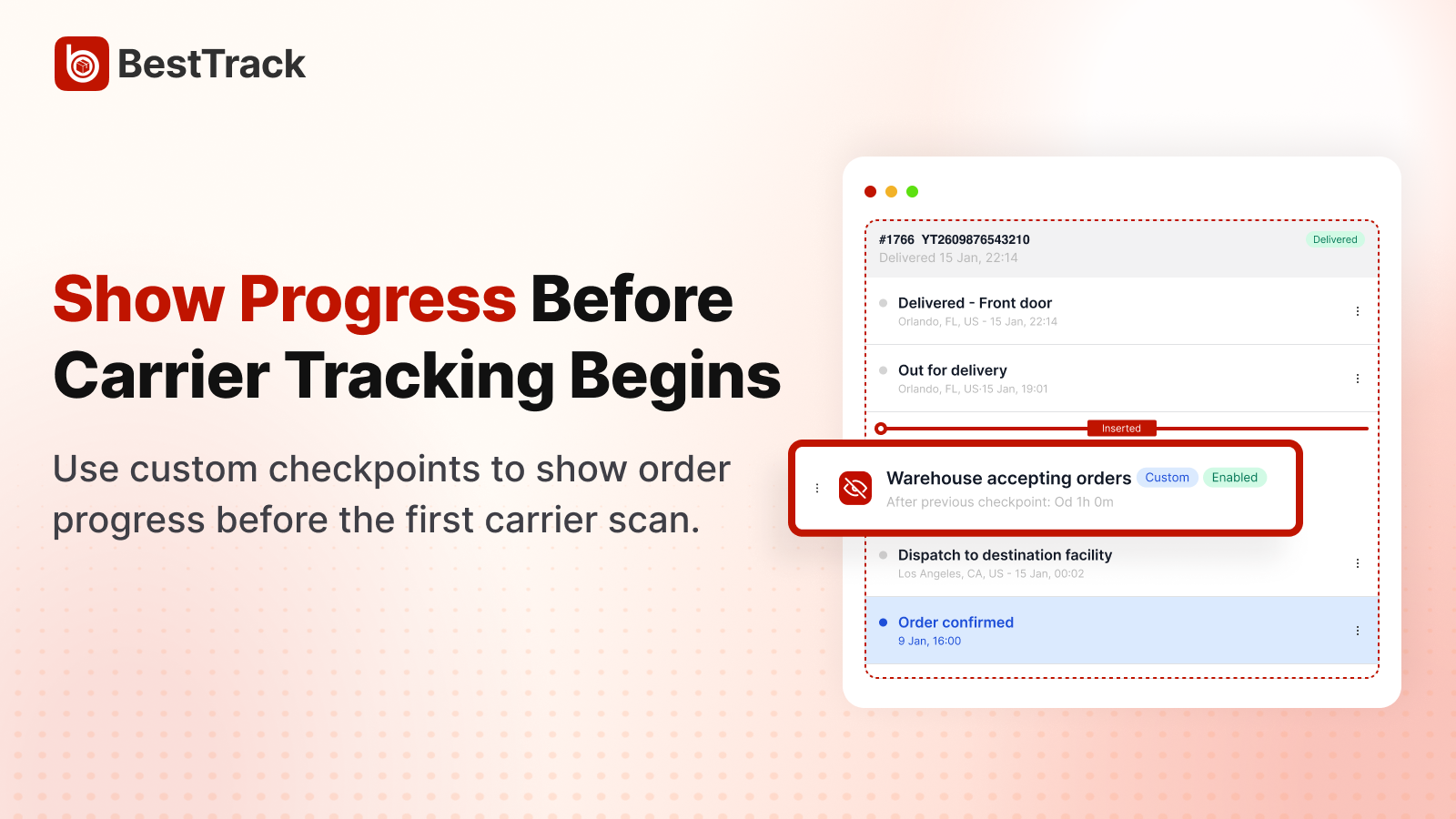
Show what happens before the first carrier scan.

Add up to eight merchant-defined display steps. Enabled checkpoints automatically apply to existing and newly synced orders, while manual order adjustment remains available. These steps do not represent carrier scans.

Turn preparation work into visible progress
BestTrack custom checkpoint settings with automatic and manual order application
✉️

Email alerts & templates

Enable five shipment events and checkpoint emails. Pro adds editable subjects, message content and live previews.

📊

Tracking dashboard

Search, filter and review tracked orders across carriers from one merchant dashboard.

🧾

CSV export & order operations

Export the current page, selected orders, filtered results or all waybills, up to 50,000 records per export.

Get started

Three steps to a store-domain tracking workflow.

1

Install BestTrack

Install ↗

Add the embedded app from the Shopify App Store. No code required; every store starts on Free.

2

Configure the experience

Publish the tracking page, enable the email events you want, and configure Dropshipping Mode keyword rules and custom checkpoints.

3

Start tracking orders

Manage delivery progress, exceptions and CSV exports in one dashboard while customers check status from your store-domain page.

Pricing

Track 300 orders free. Upgrade for higher volume.

Subscriptions are managed through Shopify Billing. Free includes 300 tracked orders. Pro includes 1,000 tracked orders per billing cycle and continues at $0.03 per extra order.

Free

$0 / month

  • Up to 300 tracked orders / month
  • Store-domain customer tracking page
  • Customer email controls
  • Order tracking dashboard
  • CSV export
  • Full Dropshipping Mode features
Start free ↗
Advanced controlsPro

$9 / month

  • 1,000 tracked orders per billing cycle
  • Everything in Free
  • Entitlement-controlled email template editing
  • Usage history and overage visibility
  • $0.03 per extra order; tracking continues
Start Pro in Shopify ↗

Free includes 300 tracked orders each month; new-order tracking pauses after the allowance is reached. Pro includes 1,000 orders per approximately 30-day subscription cycle, then continues at $0.03 per extra order. Region Blocking and Custom Checkpoints currently have inconsistent plan labels across the app, so confirm availability in Billing.

Better together

BestTrack is one part of a connected system.

Each app installs separately and solves one focused job, while the same product team designs them around the Shopify merchant workflow.

FAQ

Good to know before you install.

How does BestTrack receive shipment updates?

BestTrack syncs Shopify orders and fulfillment tracking numbers, then refreshes shipment status and events when logistics updates arrive. Test the carriers and routes your store actually uses.

What is included on Free?

Free is $0/month for up to 300 tracked orders and includes the store-domain tracking page, customer email controls, the merchant dashboard and CSV export. Check Billing for the current Dropshipping Mode plan labels.

What happens when I exceed the monthly quota?

On Free, new-order tracking pauses after 300 orders until the next monthly reset or an upgrade. On Pro, tracking continues beyond 1,000 orders at $0.03 per extra order.

Can I control what customers see?

Yes. Dropshipping Mode includes keyword-based Region Blocking and display-only Custom Checkpoints. Region Blocking hides matching location fields while keeping shipment statuses visible; enabled checkpoints auto-apply to eligible existing and newly synced orders. Confirm current plan availability in Billing.

Can I customize shipping-update emails?

Free includes configurable email events and checkpoint email notifications. Pro lets you edit subjects and message content with live previews. Shipment switches start disabled and must be enabled by the merchant.

Which languages does the app support?

The BestTrack merchant interface is currently English. The proxy query API can translate raw event descriptions and locations for English, Simplified Chinese, French, Spanish and German, but live customer-page use depends on whether the page sends the language parameter.

Give every order a clear delivery workflow.

Install BestTrack free for 300 tracked orders per month. Upgrade when you need the higher allowance or entitlement-controlled templates.